How to Clear Chrome Cache on a Mac (Keyboard Shortcuts & Safe Methods)
Clear Cache Chrome · Tech Product Partners KFT.
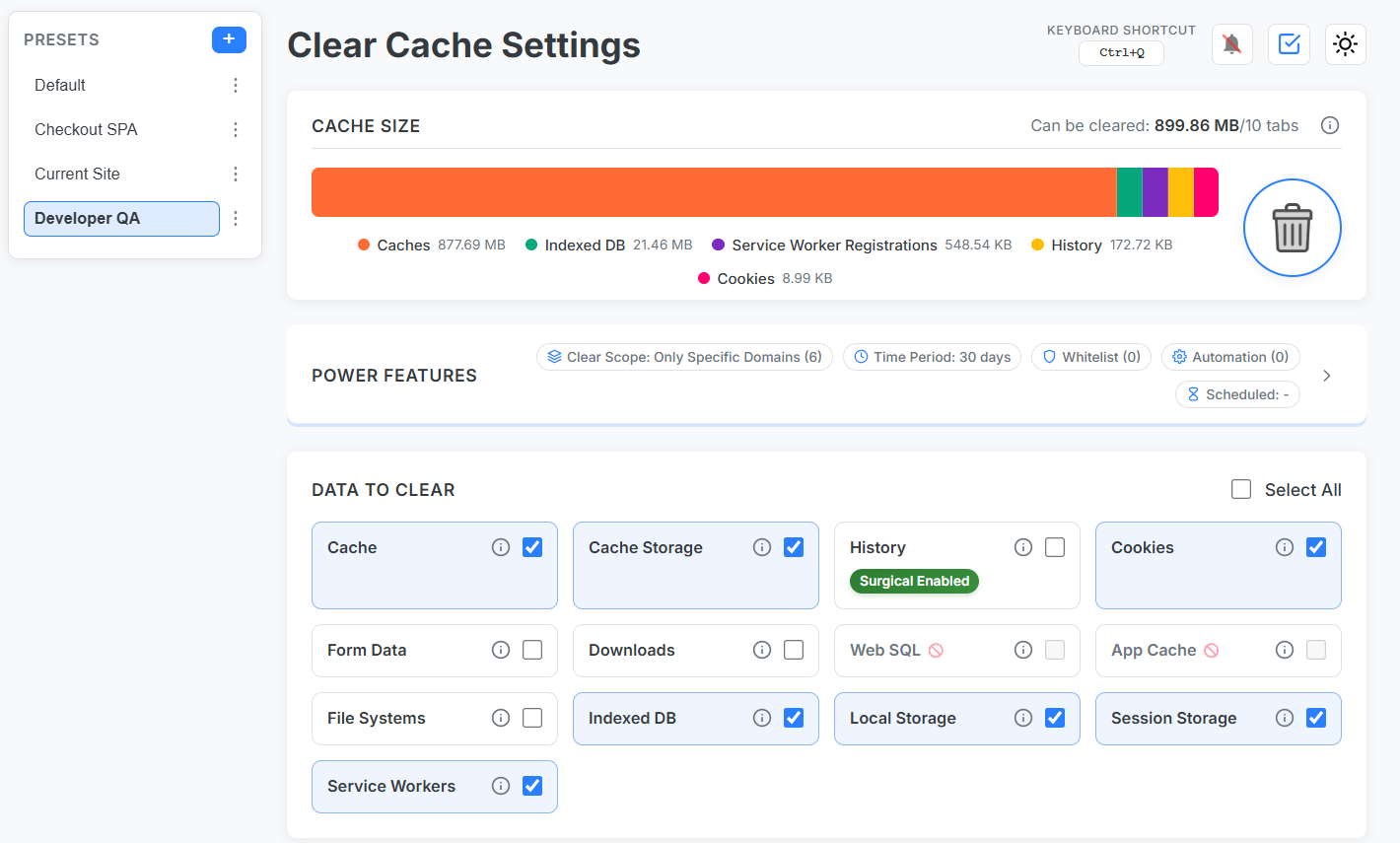
On Mac, open Clear browsing data with Cmd+Shift+Delete, or assign Cmd+Q in Clear Cache Chrome to run a one-click current-site cache clear — safer than wiping all cookies when you have dozens of tabs open.
Mac Chrome users need speed and safety
How to clear browser cache on Mac reflects a user base juggling work tabs, iCloud Keychain, and strict security habits. Full wipes are a last resort.
Native Mac methods
Cmd+Shift+Delete: opens Clear browsing data dialog.
Cmd+Shift+R: hard reload current tab.
DevTools → Application: manual storage purge per origin.
Recommended: Cmd+Q preset
Install Clear Cache Chrome.
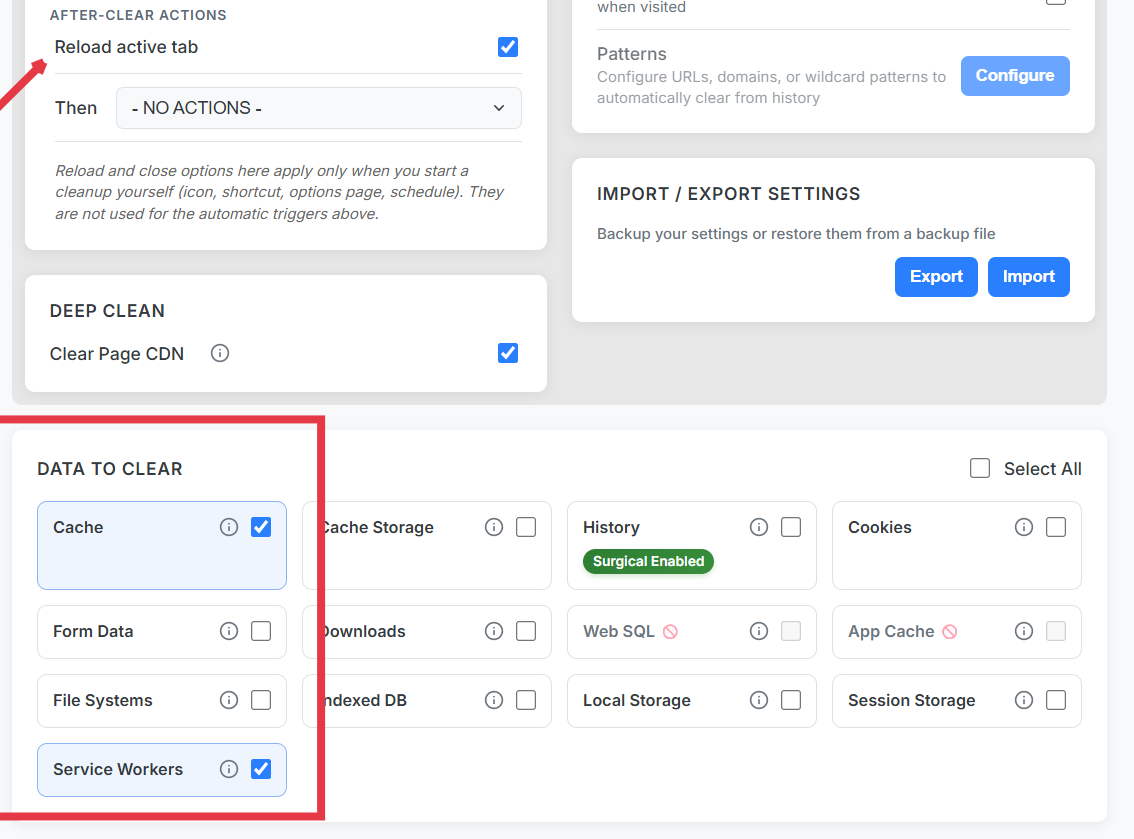
Save preset: Current Site + cache + service workers + reload.
Assign Cmd+Q in extension shortcuts (override carefully if conflicting).
Cmd+Q preset: chrome mac clear cache without the settings maze.
Developers: pair with whitelist protection so GitHub and Jira sessions survive adjacent experiments.
Frequently Asked Questions
What is the Mac shortcut to clear Chrome cache?
Cmd+Shift+Delete opens Clear browsing data. For instant per-site reset, bind Cmd+Q to a Clear Cache Chrome preset.
How to clear browser cache on Mac without losing logins?
Use current-site scope and whitelist critical domains. Avoid selecting 'all time' + cookies globally.
Does hard refresh work on Mac Chrome?
Cmd+Shift+R bypasses cache for one load but leaves service workers and storage intact.